Image
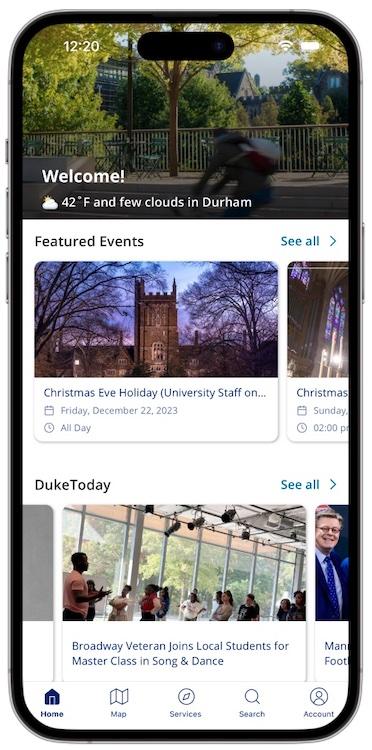
Let’s be real, we all have a million things to do and only so many hours in the day to do them. Between figuring out the optimal time to go to the gym, running between classes from East to West campus, and printing that last-minute essay before class, days can feel never-ending. That’s where the DukeMobile app comes in. It can essentially serve as your personal assistant, helping you stay on top of everything Duke without adding more to your to-do list.
DukeMobile puts all the essential information right in your pocket (literally). Need to know when Wilson or Brodie are usable and not packed? The “Campus Busyness” feature is there to help. Not sure where to print your essay? The “E-print” service can tell you where the closest printer is and if it's ready to use before you get there. And when you need a break (because we all do), the newly improved “Wellness Center” section can help you easily find resources and upcoming events to ensure you stay grounded.
See what the latest news is from The Chronicle and DukeToday, right on your home screen. Wondering what’s happening on campus? The “Featured Events” section is here to show you upcoming events. There’s also a handy search feature to help you find what you need fast (no more typing what you need into Google hoping it’ll understand).
College life can be hectic, but staying on top of it doesn’t have to be. DukeMobile is designed to make your life easier, and the best part is: it works the way you want it to. The app’s customizable layout lets you personalize your home screen, so your favorite features are right there when you open the app. It’s your campus experience, organized to fix your schedule and priorities so you can spend less time stressing and more time actually having the Duke experience.
To get DukeMobile:
Once installed, sign in with your NetID and set up location and contact permissions for an even more personalized experience.
For information on Duke IT Security Office mobile device best practices, visit securing mobile devices.
By Katarina Dragasevic, '29
OIT Marketing and Communications Intern